Customer Support Link
In the case of losing access to the MFA authenticators, the end-user can recover their account by using the emergency Recovery Codes. However they may have lost the codes and need customer support.
Set customer support link
You can add a customer support link in the Portal.
- Go to UI Settings in the Portal
- Fill in the Customer Support Link in the Link Settings section
- Save the settings.
The value will be used as the href of <a> HTML tag. It can be a URL or a mailto: link.
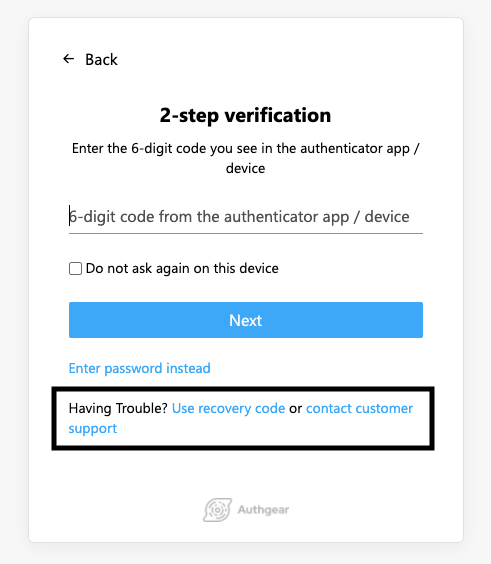
Customize the label
You can also modify the text shown to the end-users by including two special translation keys in translation.json.
{
    "enter-recovery-code-instead-v1": "Having Trouble? <button class=\"btn secondary-btn\" type=\"submit\">Use recovery code</button>",
    "enter-recovery-code-instead-with-customer-support-v1": "Having Trouble? <button class=\"btn secondary-btn\" type=\"submit\">Use recovery code</button> or <a class=\"link\" target=\"_blank\" href={customerSupportLink}>contact customer support</a>",
}