Connect Apps to LinkedIn
Prerequisite
- A LinkedIn Developer profile. You can create one on the LinkedIn Developers Portal.
- LinkedIn App
Step 1: Create a LinkedIn App
Log in to the LinkedIn Developers Portal and create a new app or update the configuration for an existing one.
Go to the Auth tab of your LinkedIn app and take note of the "Client ID" and "Client Secret".
Also, add https://<YOUR_AUTHGEAR_ENDPOINT>/sso/oauth2/callback/linkedin to "Authorized redirect URLs" under "OAuth 2.0 settings" section.
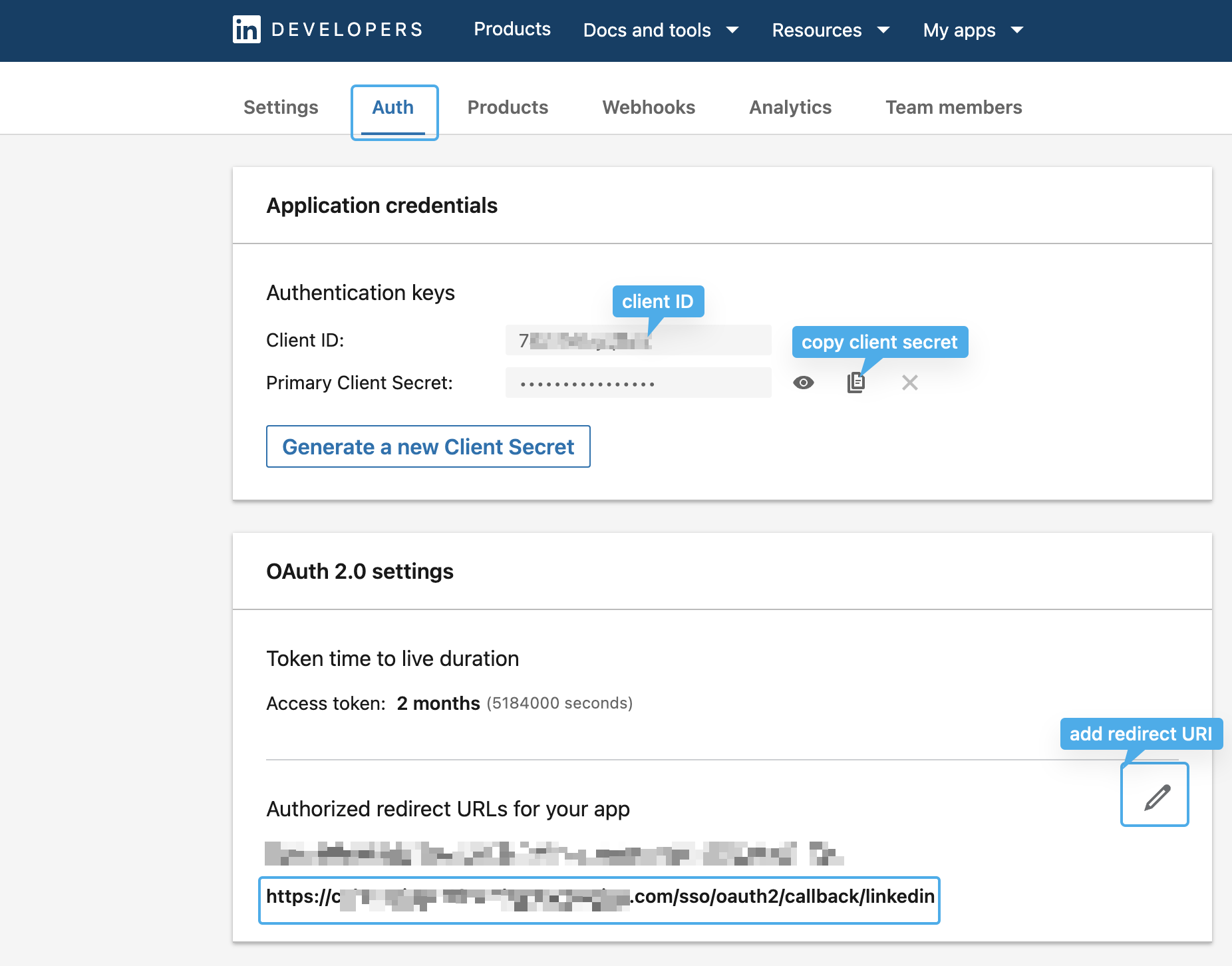
LinkedIn app, "Auth" tab
Note
The redirect URI has the form of /sso/oauth2/callback/:oauth_provider_alias. The oauth_provider_alias is the OAuth Provider Alias configured for this provider in Authany Portal
Next, open the Products tab of your LinkedIn app, and request access to "Sign In with LinkedIn using OpenID Connect."
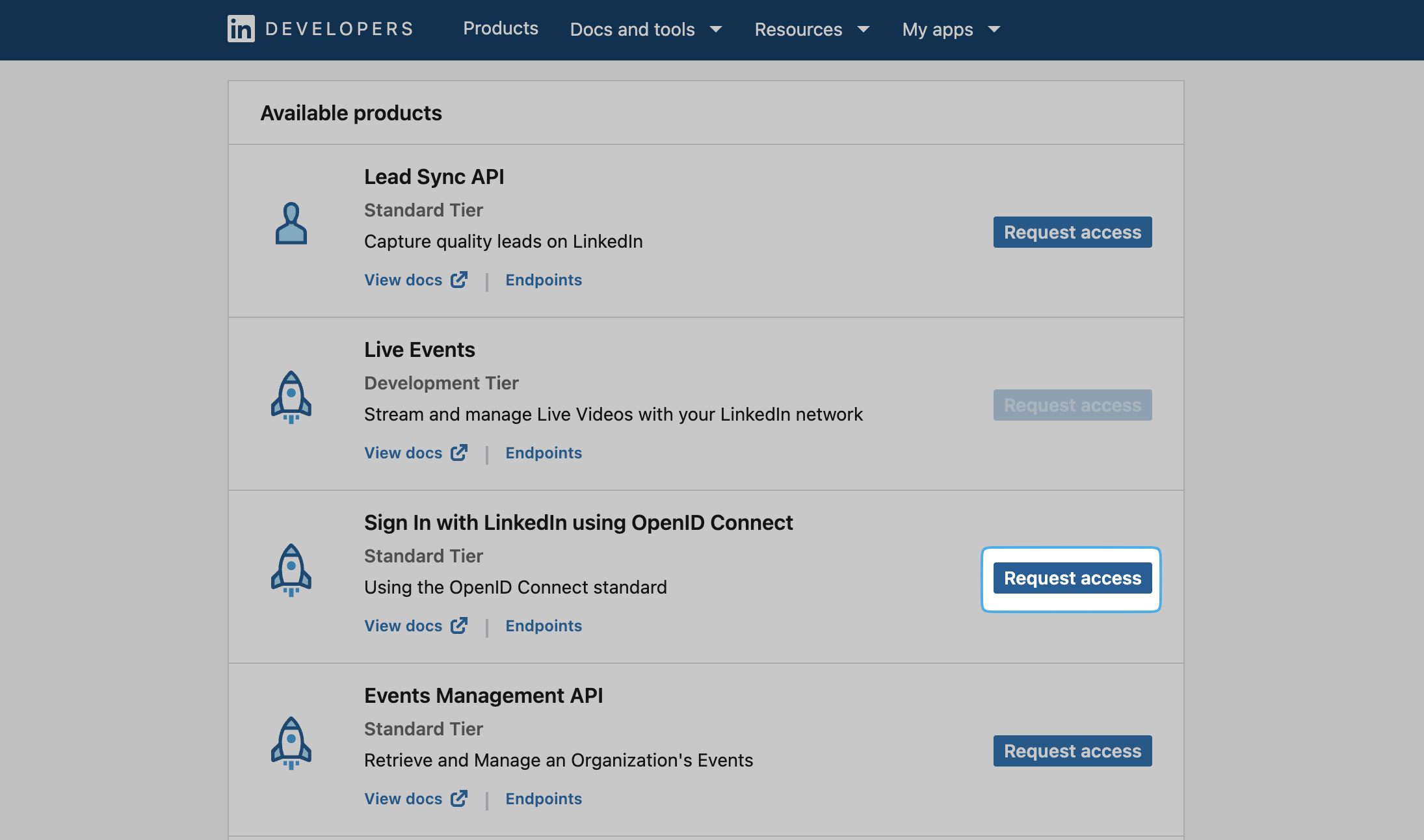
LinkedIn app product list
Step 2: Configure Sign in with LinkedIn through the portal
In the Authany Portal, go to Authentication > Social / Enterprise Login.
Enable Sign in with LinkedIn.
Then fill in the Client ID. and Client Secret from your LinkedIn app.
Save the settings.
🎉 Done! You have just added LinkedIn Login to your apps!