JWT Access Token
You can enable the issuing of JWT as an access token in the configuration page of your Application in the Authany Portal.
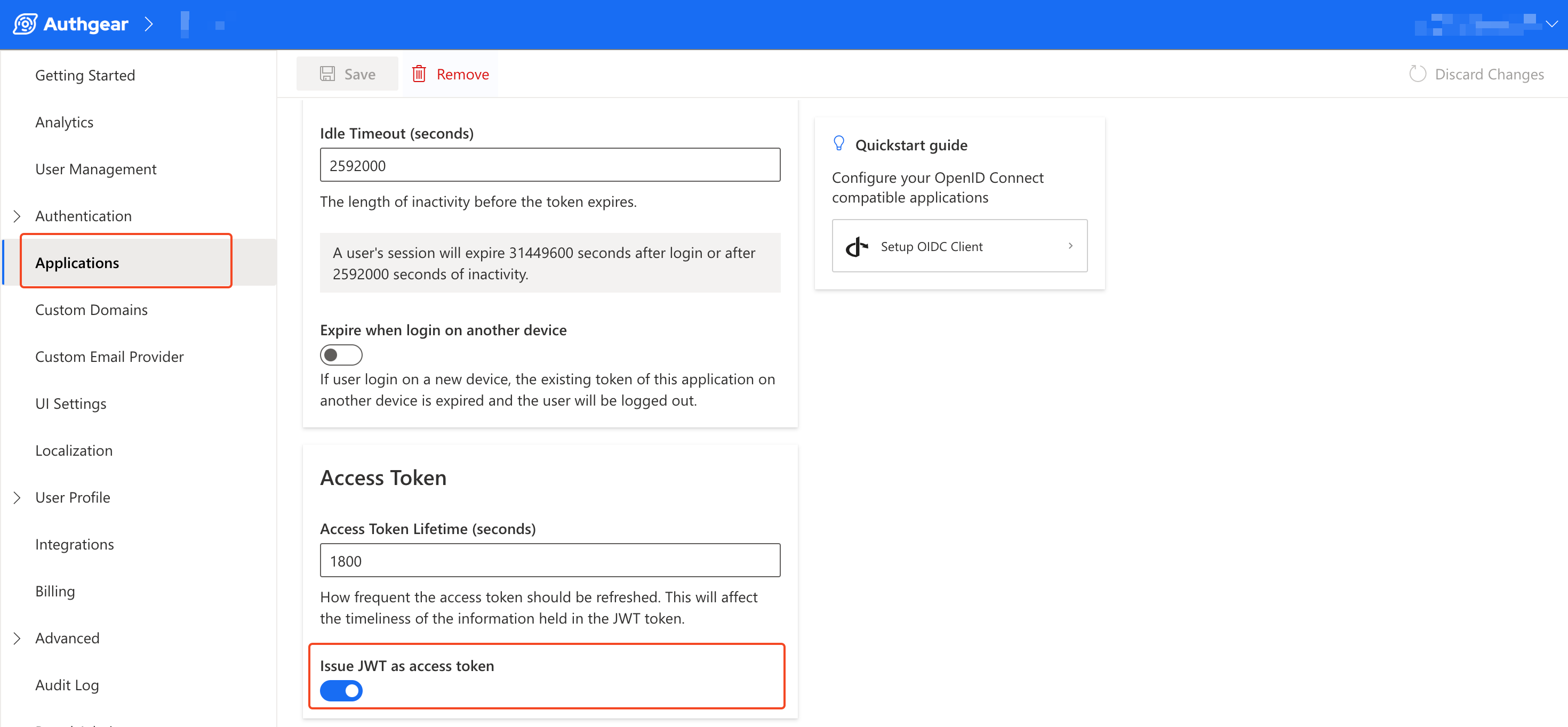
This JWT contains several claims that describe your user and your application. The JWT access token that Authany generates contains claims that are designed specifically for Authany. Also, it may or may not include some standard JWT claims by default.
In this section, we'll list all the claims in the JWT access token by default and explain each claim.
The following code shows an example of the claims in a JWT access token from Authany:
{
  "aud": [
    "https://my-project.authanyid.com"
  ],
  "client_id": "497d841ea22f33d3",
  "exp": 1696432809,
  "https://authgear.com/claims/user/can_reauthenticate": true,
  "https://authgear.com/claims/user/is_anonymous": false,
  "https://authgear.com/claims/user/is_verified": true,
  "iat": 1696431009,
  "iss": "https://my-project.authanyid.com",
  "jti": "820a487ac1ce118cade7e8eca68e68a9288cf312343b83a5678f8bfd091b4768",
  "sub": "e3079029-f123-4c56-80c1-c2cd63a5b6af"
}
aud: the aud claim stands for "audience" and its value specifies the recipient of the JWT - RFC 7519. In Authany, the value foraudis the endpoint for your Authany project. E.g.https://my-project.authanyid.com. However, in ID Token, the value foraudis the client ID.client_id: this claim contains the client ID for your Authany application. This is helpful when theaudclaim contains your project's endpoint.exp: exp claim stands for expiration. The value in this claim defines the time on or after which the token should expire and not be accepted for any processing - RFC 7519.https://authgear.com/claims/user/can_reauthenticate: this claim returns true if a user can re-authenticate and false if they can't. For example, a user with only Google sign-in can not re-authenticate while a user with a password can re-authenticate. This claim can help developers check before they callreauthenticate()in Authany SDK.https://authgear.com/claims/user/is_anonymous: this claim tells that a user is an anonymous user when the value istrue. You can anonymize a user from the Authany Portal.https://authgear.com/claims/user/is_verified: the value for this claim is a boolean that tells if the user is considered verified or not. You can configure the condition of such consideration in Authany portal. If your project has both email and phone enabled, you can see this settings in Authentication > Login Methods > Verification > Configure how a user should be verified > isVerified is true when...iat: iat stands for "issued at". The value of theiatclaim is the time the JWT was issued - RFC 7519.iss: iss stands for issuer. This claim identifies the principal that issued the JWT - RFC 7519. For Authany, the value of theissclaim is the endpoint of your project.jti: jti stands for "JWT ID". It is a unique identifier for the JWT access token - RFC 7519.sub: sub is short for "subject" and it is a standard field in OIDC. The value is the user's unique ID generated by Authany. You can use this user ID to generate a user node ID which you can then use in Admin API to query a user or perform mutations.
Adding Custom Claims
In addition to the above claims, you can add extra claims such as a user's name and email to the JWT access token using JavaScript Hook.
For a more detailed step, see this post on how to add custom fields to JWT access token.