Connect Websites to WeChat
Note
WeChat Open Platform account (微信开放平台账号) is different from WeChat Official account (微信公众平台账号). Authany supports integrating WeChat Login with a WeChat Open Platform account.
Prerequisite
- Register a WeChat Open Platform account (微信开放平台账号).
- Register a Web Application (网站应用).
See Appendix: Create web app on WeChat Open Platform for more details.
Get the information from WeChat Open Platform
Once your mobile app is approved on the platform, you will see the word ":white_check_mark: 已通过" in the app details page.
- Get the
appid(Client ID)
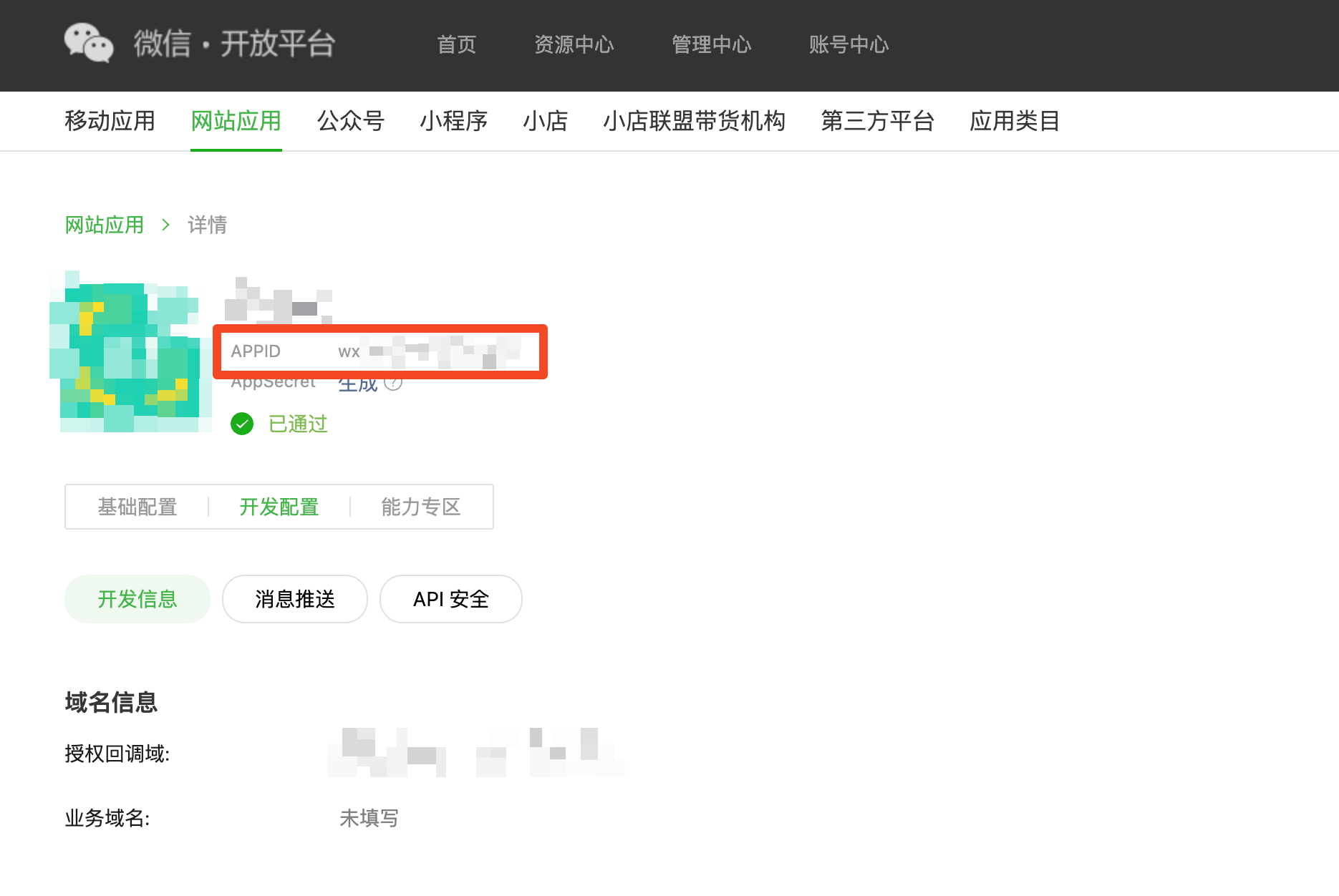
where to find appid
- Get the
appsecret(Client Secret). It will only be shown once. You need to re-generate if you lose it.
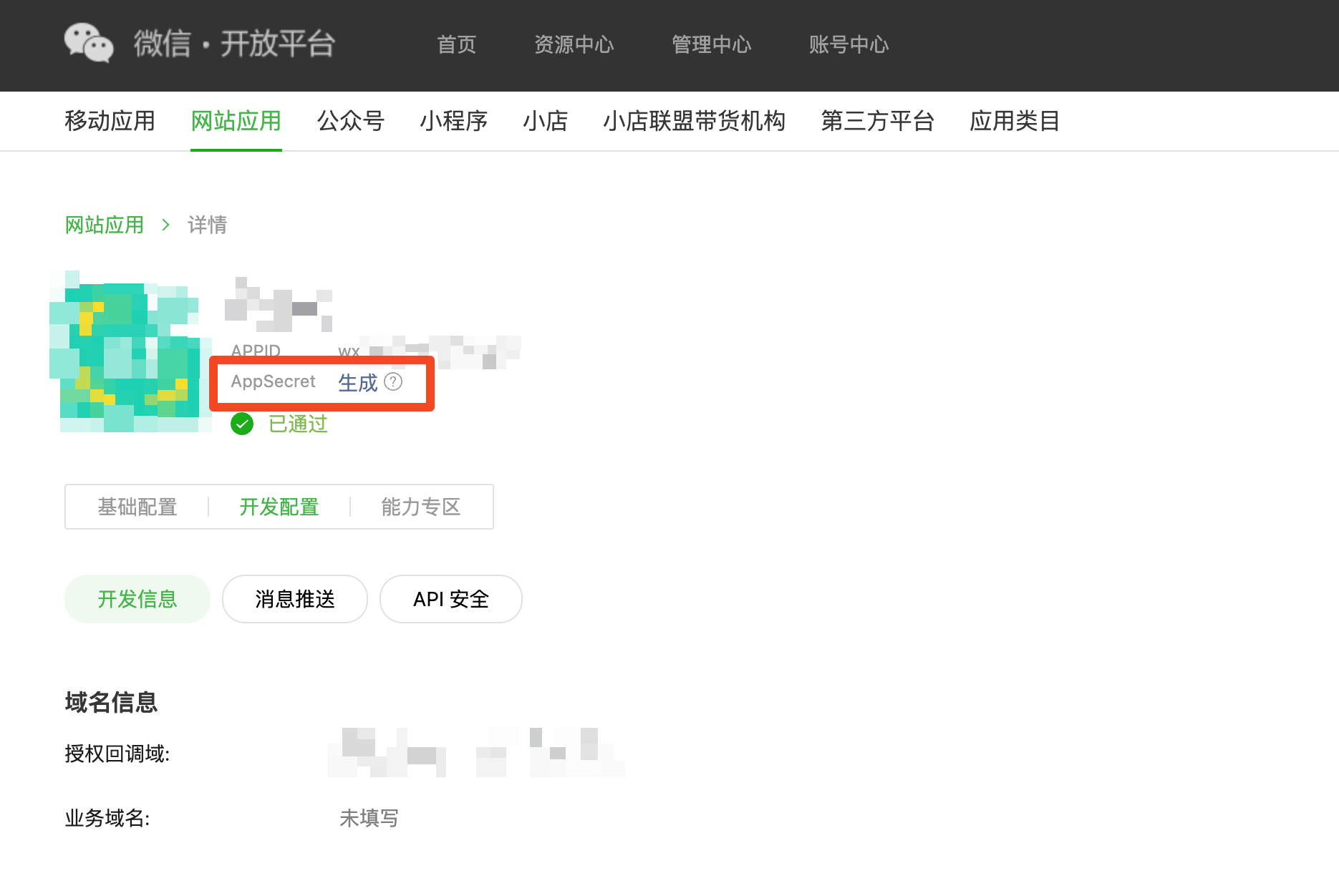
where to find appid
- Get the
原始ID(Account ID) of your WeChat Open Platform account.
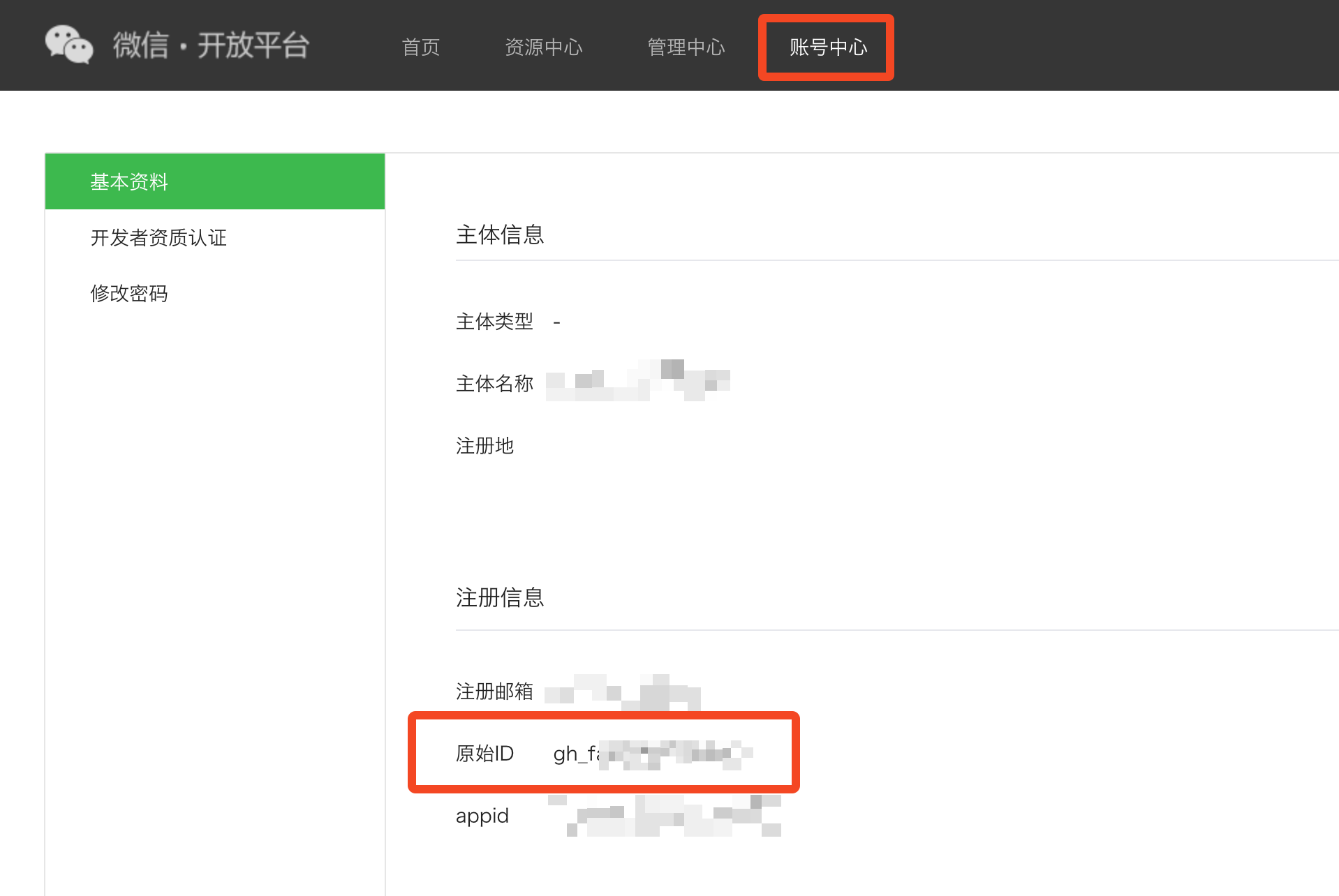
where to find account ID
Configure Sign in with WeChat in the Authany portal
- Sign in to the Authany portal.
- Select your project.
- In the navigation menu, go to Authentication > Social / Enterprise Login.
- Click Add Connection.
- Select WeChat Web / 网站应用.
- Fill in Client ID with the
appid. - Fill in Client Secret with the
appsecret. - Fill in Account ID with the
原始ID. - Save.
Done!
No further changes are needed. The Sign in with WeChat button should be shown in the signup / login page now.
Appendix: Create web app on WeChat Open Platform
After logging into the Open Platform, go to the "网站应用" (Web App) and click "创建网站应用" to create a new web app
The following information are needed:
| Field | Meaning in English | Usage |
|---|---|---|
| 网站应用名称 | Web app name | The app name shown to the end-user when they login |
| 英文名称 | Web app name in English | The app name shown to an English end-user when they login |
| 网站应用简介 | Web app description | A description for the approver to understand the app |
| 英文简介 | Mobile app description in English | Optional field |
| 应用官网 | Official website of the web app | The webpage should show the description of the app |
| 网站应用图片 | App Icon | A 28x28 and a 108x108 icon |
| 网站信息登记表扫描件 | Scanned copy of the Website Registration Form | A signed registration form about the web app and the business nature and company info. |
| 授权回调域 | Authorized redirect domain | Domain of your Authany endpoint for example: *.authgear.cloud |